
Digital Visa payment card
Order a digital Visa card in the Paysera Super App and start using it in just 20 minutes. It is a secure, sustainable, and instant way to manage your finances, available right on your smartphone.



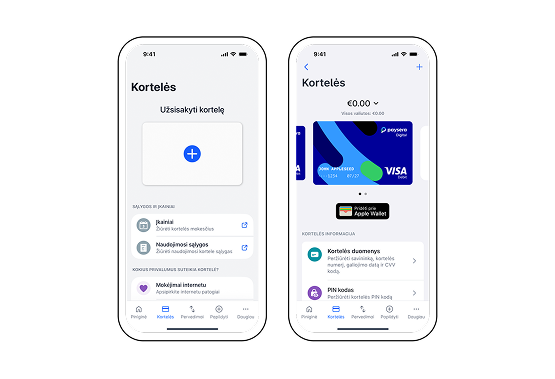
Vibrant Visa payment card for daily expenses
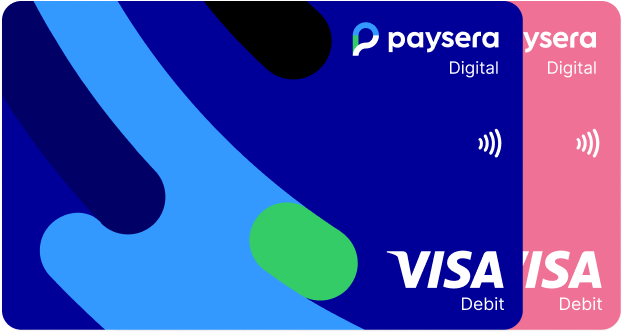
Choose a dark blue or pink card. Order it in the Paysera Super App or in the online bank. The card will be ready to use in just 20 minutes.
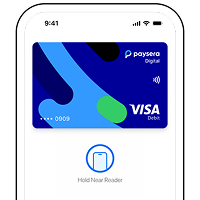
To use the card at physical points of sale, add it to your Apple Pay or Google Pay wallet. You will see every purchase in real time and confirm it with your fingerprint or face recognition.
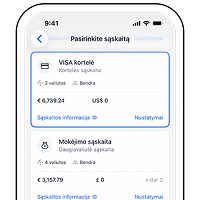
Discover a safer way to shop online and in stores. The digital Visa card has a separate IBAN account, so you can transfer to it only as much money as you plan to spend.
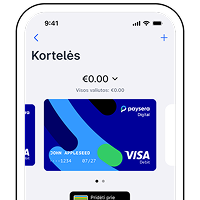
No risk of losing a physical card – your card is securely locked in the app and ready to pay instantly.
Fast and modern payments

Ordering a card
All Paysera clients who have completed the identification process and reached the age of 16, and are EEA residents can order a Visa card. One person can order up to 10 additional cards. You can quickly and easily order a card by logging in to the Paysera online banking or Super App. Please note that online card purchases must be confirmed in the Paysera Super App.

Account management by phone
By logging in to the Paysera Super App, you will be able not only to check your card account balance, but also to download account statements, make transfers to other banks, and instantly transfer money from your main account to your card account and vice versa.

Contactless payments
Your card is now on your phone or smartwatch. Add the card to Apple Pay, Google Pay, or Samsung Pay and pay in stores simply by holding your device to the reader. This is not only faster than traditional payment, but also more secure, as every transaction is confirmed with biometric data or your device passcode.

Separate IBAN account
By ordering a Visa card, a separate IBAN account will be opened. It will be completely separate from your main account, and therefore you can send only the amount of money you want to spend.

Cash withdrawal
When you need cash, you can withdraw it with your digital Visa card anywhere in the world – at all ATMs that support contactless NFC technology. Simply hold your smartphone or smartwatch (linked to Apple Pay, Google Pay, or Samsung Pay) to the ATM’s scanning area.
When withdrawing euros, choose cash withdrawal without conversion – this way you will avoid additional fees. Although the card’s main currency is the euro, you can also withdraw funds in other currencies; however, please note that such transactions are subject to additional currency exchange fees.

Secure and convenient online shopping
You can shop online with complete peace of mind – every payment is subject to two-factor authentication (2FA), which you complete by confirming the transaction in the Paysera Super App. Unlike with a physical card, the details of a digital card can be accessed only after you log in to your account, and if you lose your device, the card cannot be used without your biometric confirmation or passcode. In addition, if needed, you can instantly block the card – temporarily or permanently – right on your phone.
Where do I start?




More about the Visa card
Informational videos and frequently asked questions about the Visa payment card.
A Visa card can be ordered by Paysera clients who are EEA residents at least 16 years of age and have completed the identification process.
1. Log in to the Paysera mobile app (or register if you don’t have an account yet).
2. Go to Cards.
3. Tap +.
4. Choose the card format and select Digital card.
5. Review the terms and conditions, confirm that you agree, and tap Order card.
6. Your digital card will be activated within 20 minutes.
7. To pay in physical stores, add your digital card to Apple Pay or Google Pay. You can find card fees here.
Clients can choose from 2 colours: dark blue or pink. When ordering additional cards or when a card expires, a card of the same colour as the first one is ordered automatically.
1. Log in to the app;
2. Go to Cards;
3. Choose Top up card;
4. Choose the account and the amount, and confirm.
If you don’t have enough funds in your main account – you can top it up (or top up the card account directly) by making a regular bank transfer to your IBAN account. Such transfers can be made in euro only. If you want to top up your main account in a different currency – you will need to generate top-up instructions (Paysera online banking → Accounts and Cards → Account Top-Up → fill out the form and update the instructions).
1. Log in to the app;
2. Go to Cards;
3. Freeze card – your card will be temporarily frozen. You can activate it again at any time;
4. Block card – your card will be blocked permanently, your card account will be closed.
If you suspect that you lost your card or that somebody else knows your card details – freeze your card immediately. Don’t share your PIN or access to the card with anyone.
You can easily add your digital Visa card to Apple Wallet, Google Pay, Samsung Pay, or PayPal – simply go to the section Cards in the Paysera app, tap the linking button, and follow the further instructions.